
One app.
Five moments that explain it.
Watch a real Standard-mode website export for Pose, then inspect the screen evidence, detail crops and closing invitation. 18.6 seconds, 1080 × 1920, from a working app to a finished short film.
This film uses a short promise, a complete interface, a detail view, an exercise demonstration and a final invitation. It is an actual website export, not the separate supplied 15-second creative reference used on the homepage.
The interface is the evidence.
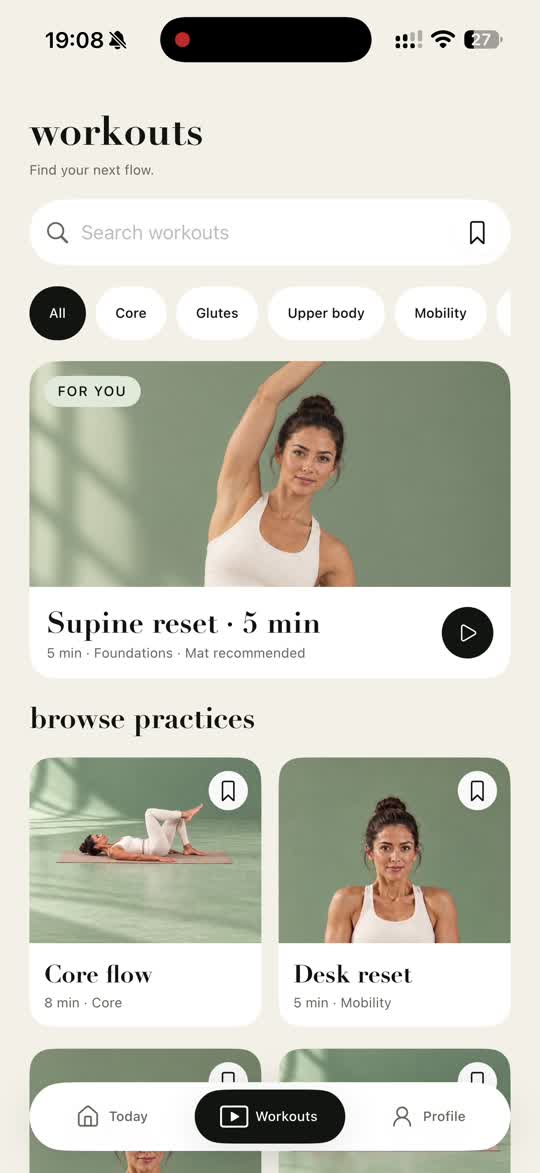
Play the final MP4, then inspect the sampled frames below. The input screen example shows the product information behind the visual story.
Five sampled moments
Opening benefit: a short, understandable practice.
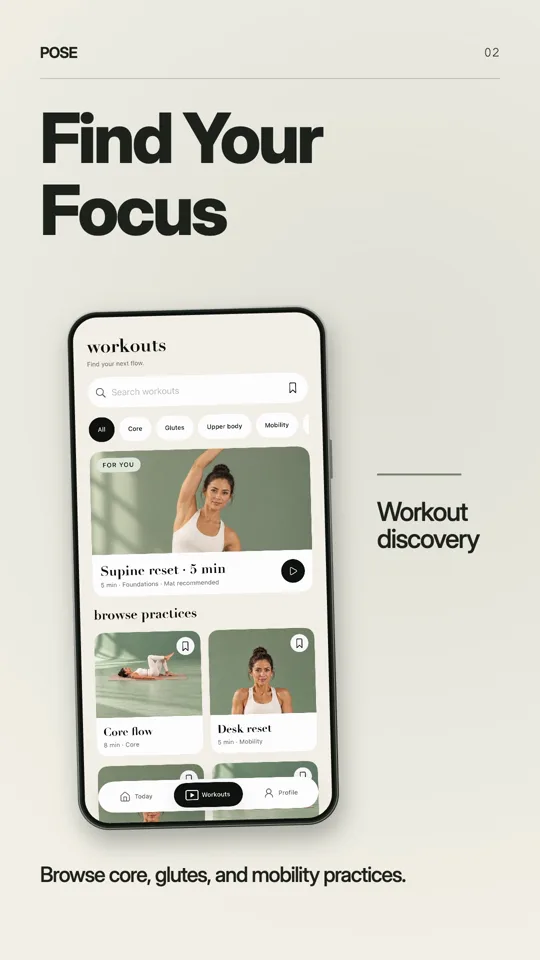
The complete workout list establishes the product context.
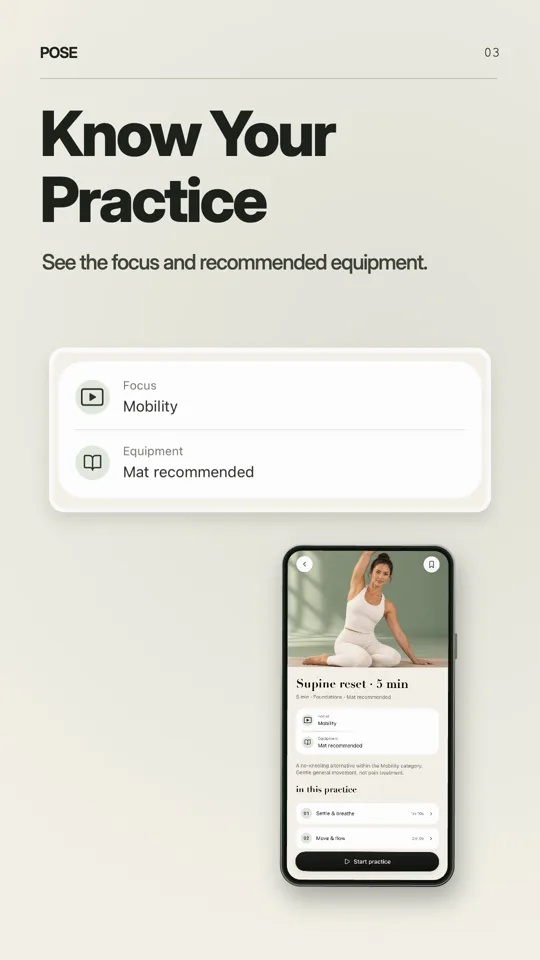
A detail highlights focus and recommended equipment.
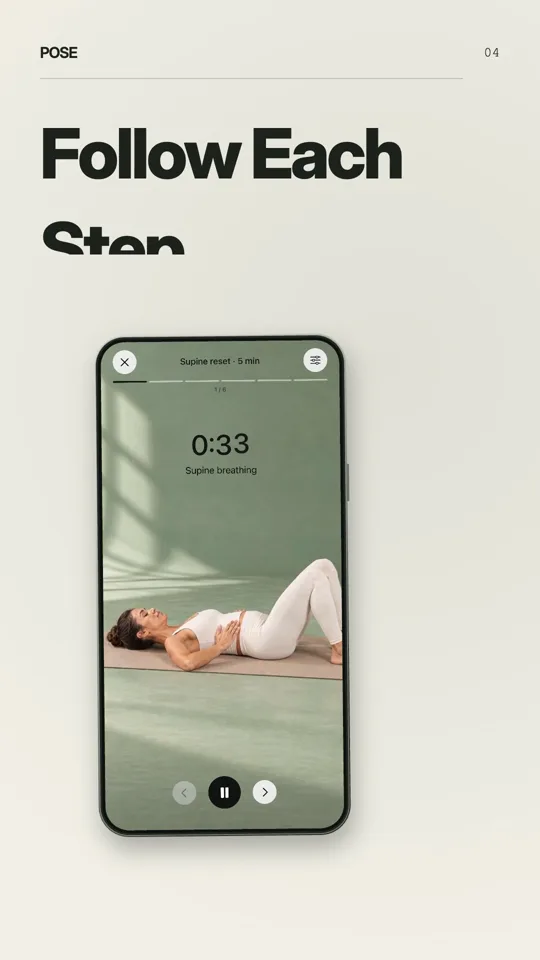
The real practice interface demonstrates guided movement.
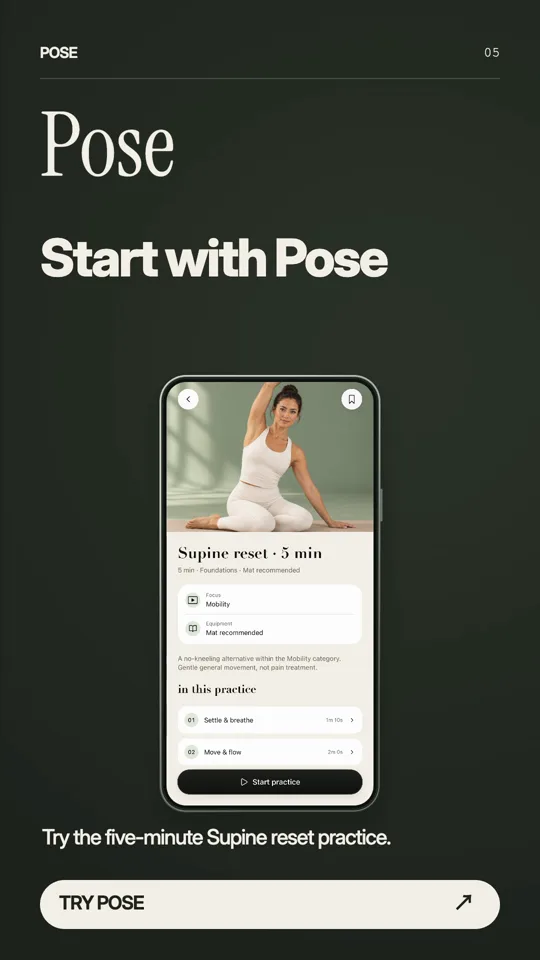
Return to a specific practice and invitation.
Timestamps mark sampled frames, not scene boundaries. Play the film to inspect the pacing; source material and the brief affect the result.
A result before a feature list
The opening names a small, recognizable use case: a five-minute Pilates practice. The exercise discovery screen then provides evidence. The viewer gets a reason to care before seeing a list of controls.
Show the whole interface before isolating details
The workout list establishes where the user is. The focus and equipment card then becomes a readable detail. A useful close-up removes distraction while retaining the complete meaningful element; a crop through a plate, face or essential label weakens the demonstration.
Make the invitation match the demonstrated action
The closing points back to a specific practice rather than introducing another feature. The restrained green background follows the source product. This example shows the workflow and one output; it does not establish a typical result, conversion rate or guarantee of downloads.
Have these ready.
- Record a complete task and remove account, payment and personal information.
- Choose one benefit that your captured interface can prove.
- Review selected frames and important crops before generation.
- Inspect the final MP4 on a phone, including text, audio and full-screen content.
- Download your work within 24 hours.
Questions before you start
Are the timestamps scene boundaries?
No. The images below are sampled frames at the displayed times. They are inspection points, not an edit decision list.
Was an extra AI video shot used?
This is a Standard export. The Enhanced option separately includes a planned 5-second generated shot. Neither mode guarantees that every product will produce this exact composition.
Take the brief into your film.
Standard 30 credits · Enhanced 60 credits · Manual editing, MP4 export and downloads included.
Make my film